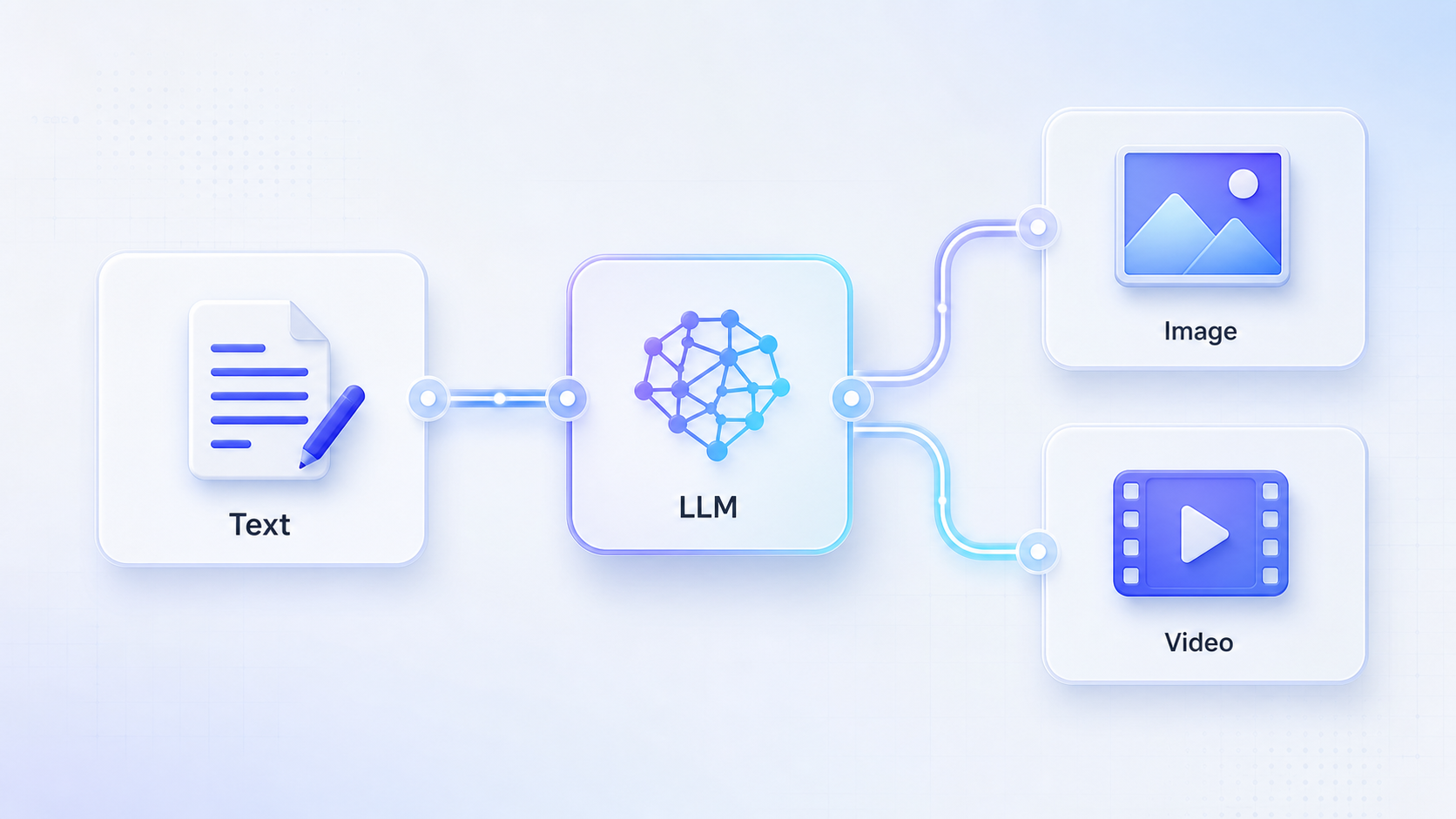
Why the LLM step matters
Image and video models perform best when the prompt is concrete, structured, and visual. A short user idea is usually not enough.
In a RelayMe workflow, the LLM node acts as the prompt writer. It turns an ordinary request into a production-ready prompt that downstream media models can use.
Build the basic chain
Create a Text node first. This is where the user writes the raw idea, product description, script, or campaign direction.
Connect that Text node to an LLM node. In the LLM instruction, ask it to rewrite the input into a visual prompt with subject, scene, camera, lighting, style, constraints, and output format.
Then connect the LLM output to the prompt field of an Image node or Video node. The media model should read the LLM-generated prompt, not the original rough text.
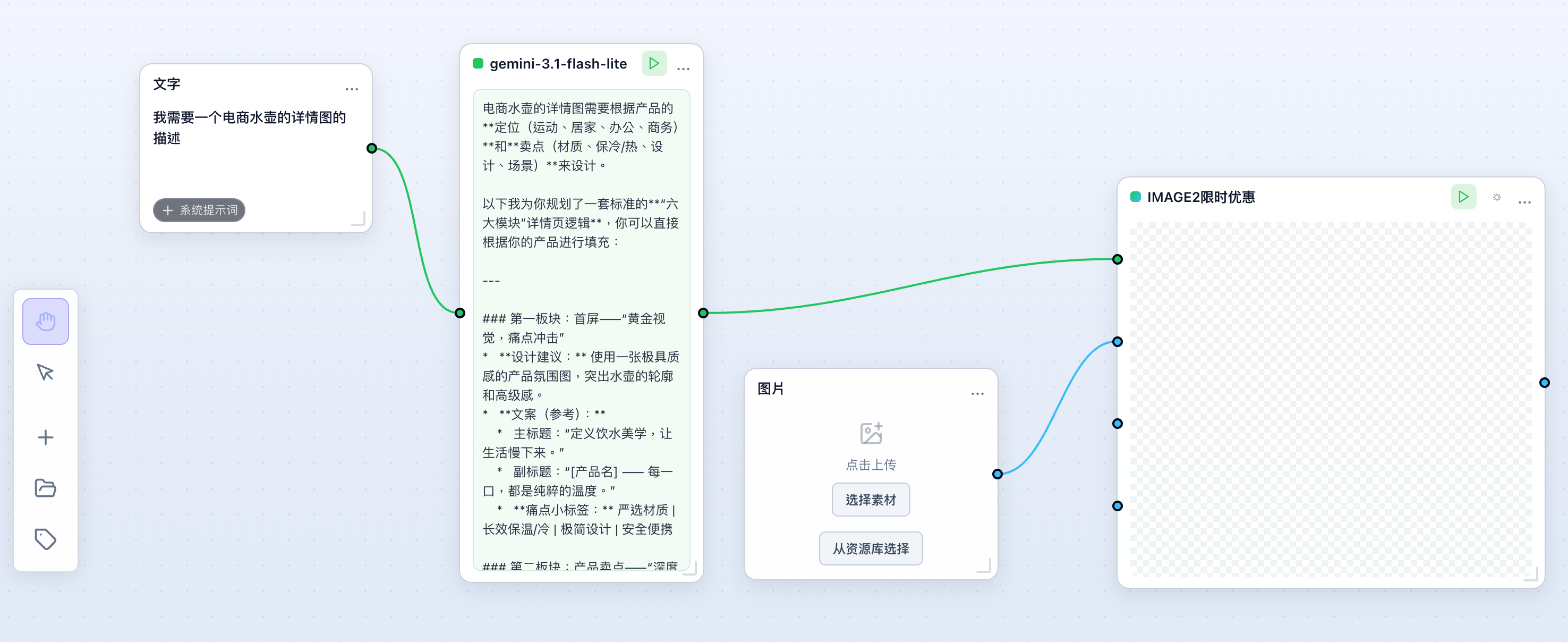
Branch one idea into image and video
Once the LLM output is stable, you can branch it into multiple generation nodes.
For example, send the same structured visual prompt to an Image node for poster concepts, and to a Video node for a short motion version. If needed, add a second LLM node before video to rewrite the prompt into shot-by-shot language.
A practical LLM instruction
Use an instruction like: Rewrite the user input into a clear image or video generation prompt. Include subject, environment, visual style, camera angle, lighting, mood, composition, and negative constraints. Return only the final prompt.
This keeps the workflow predictable and makes it easier to reuse the same template for different products, scripts, or creative briefs.