



Visual AI workflow
One product photo.
Every format you need.
Generate the studio shot, upscale it to 4K, reframe it for 9:16 and animate it with Veo 3.1, Grok Imagine or MiniMax-H3. One visual workflow, one bill.
One production run
Same photo. One change at a time.
-
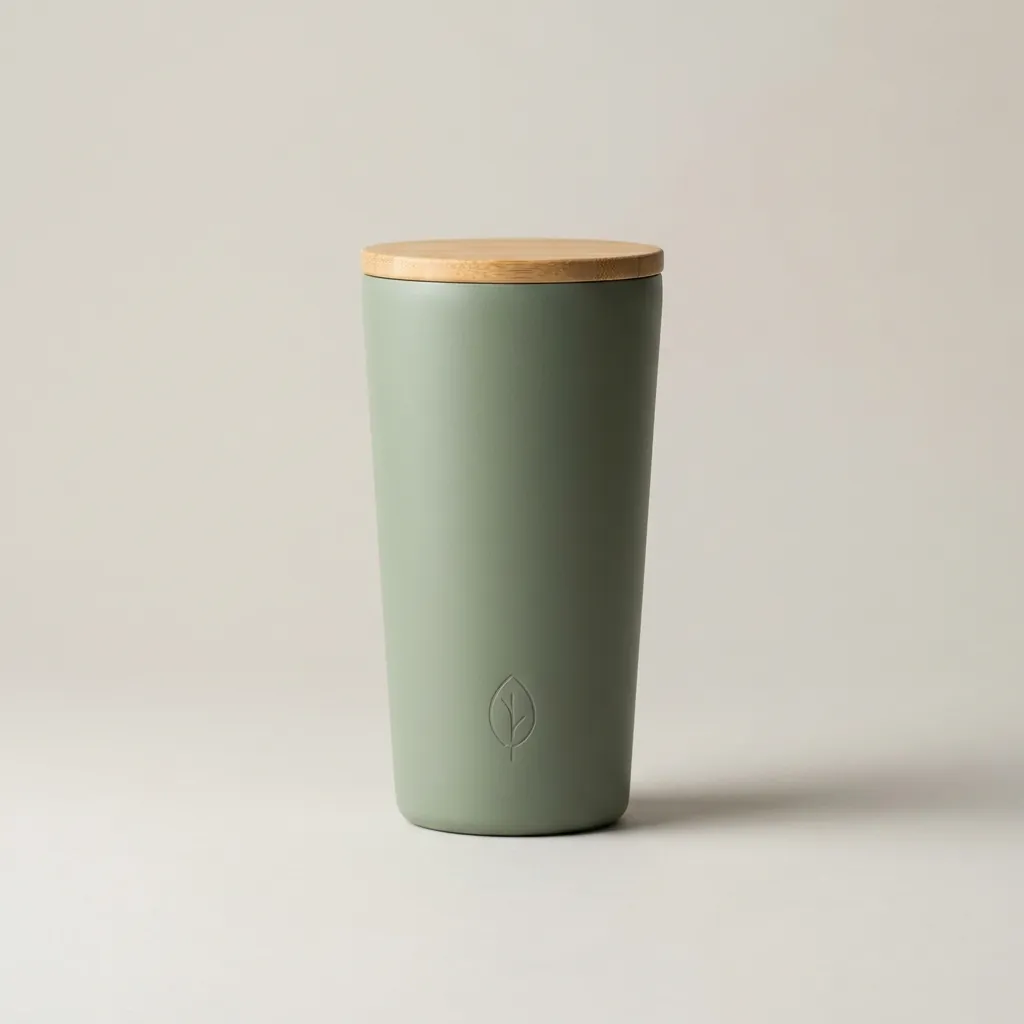
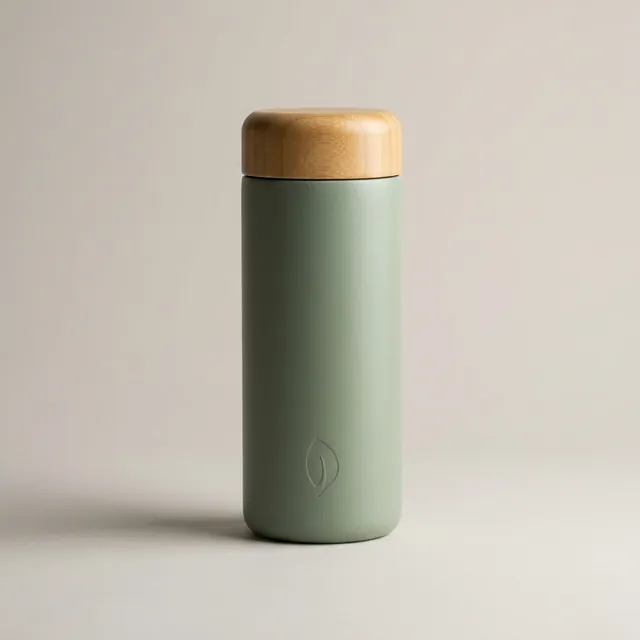
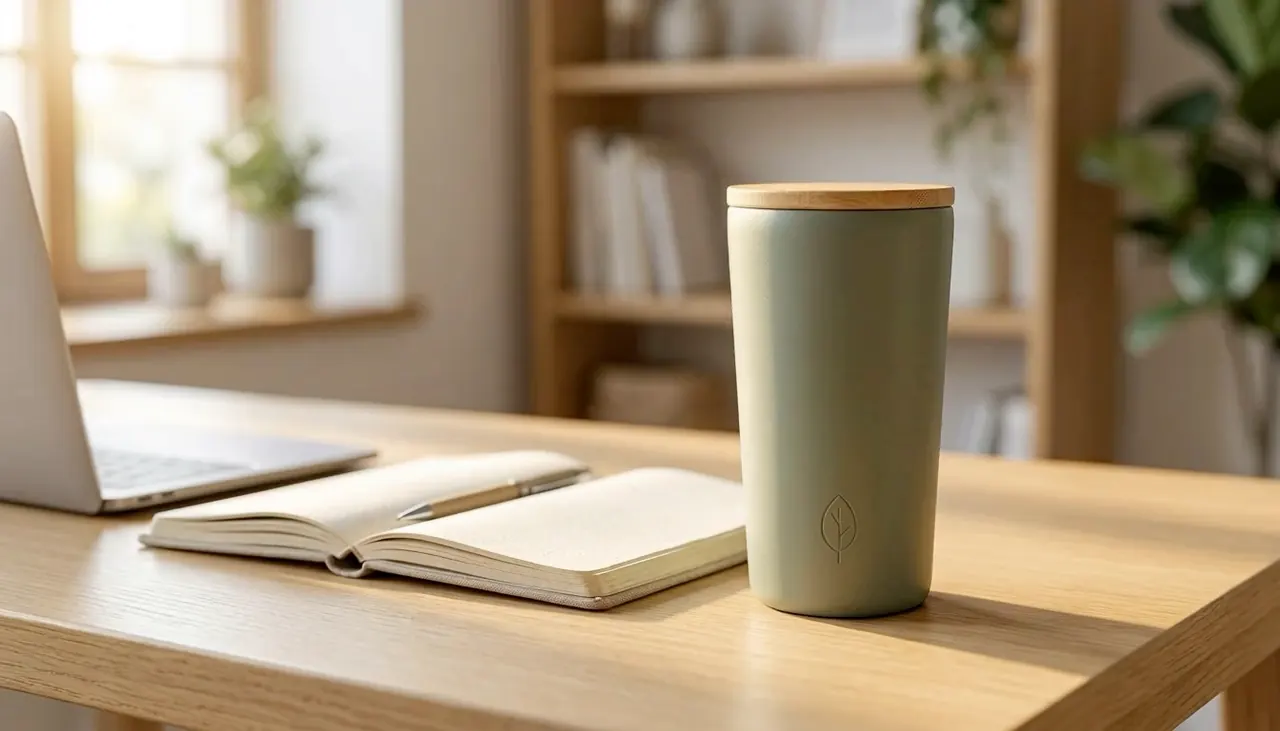
Product shot
Text prompt only. One task returned two candidates; this is the second.
-
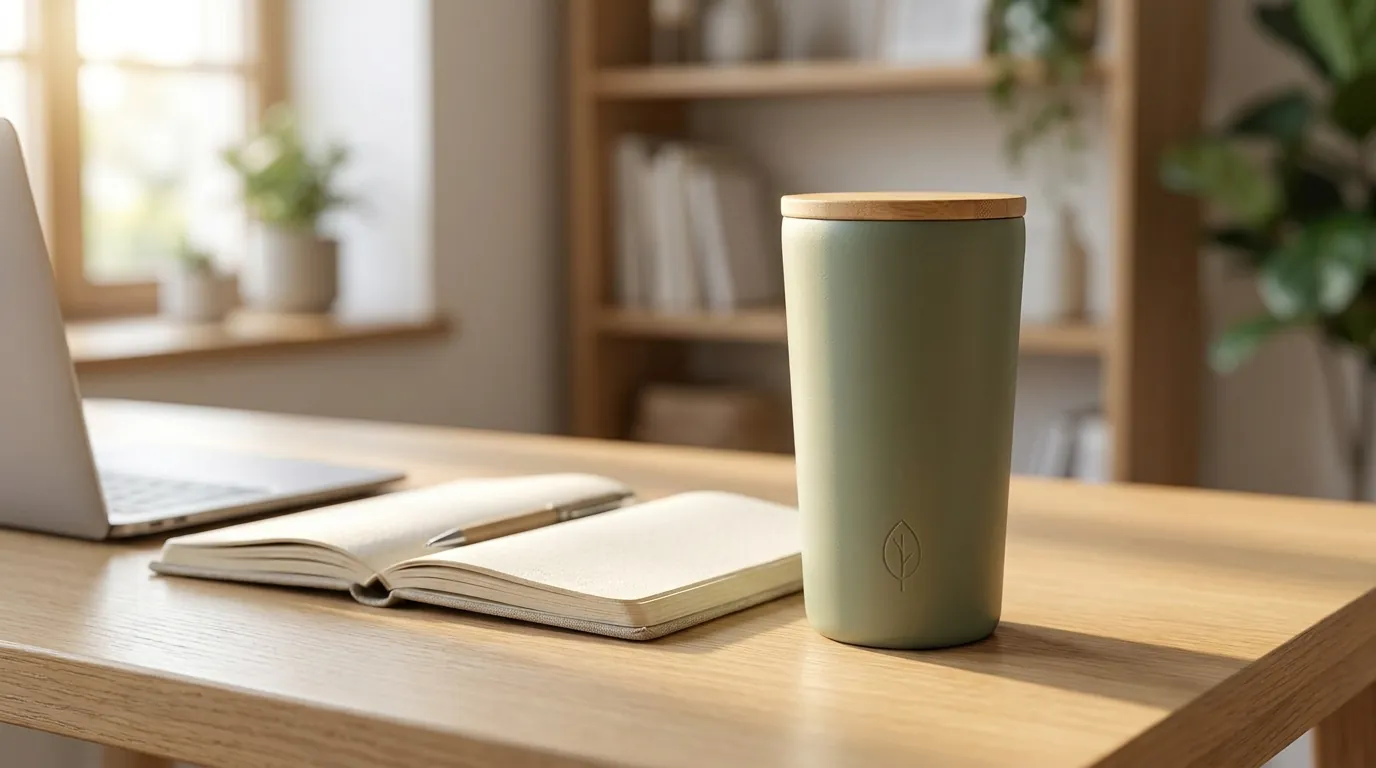
Lifestyle scene
The product shot went in as the reference; shape, lid and leaf mark carried over.
-
What we’d fix
It reads as a bottle, not the tapered tumbler we asked for, so we kept candidate 2. Its cost is in the 200 credits above.
-
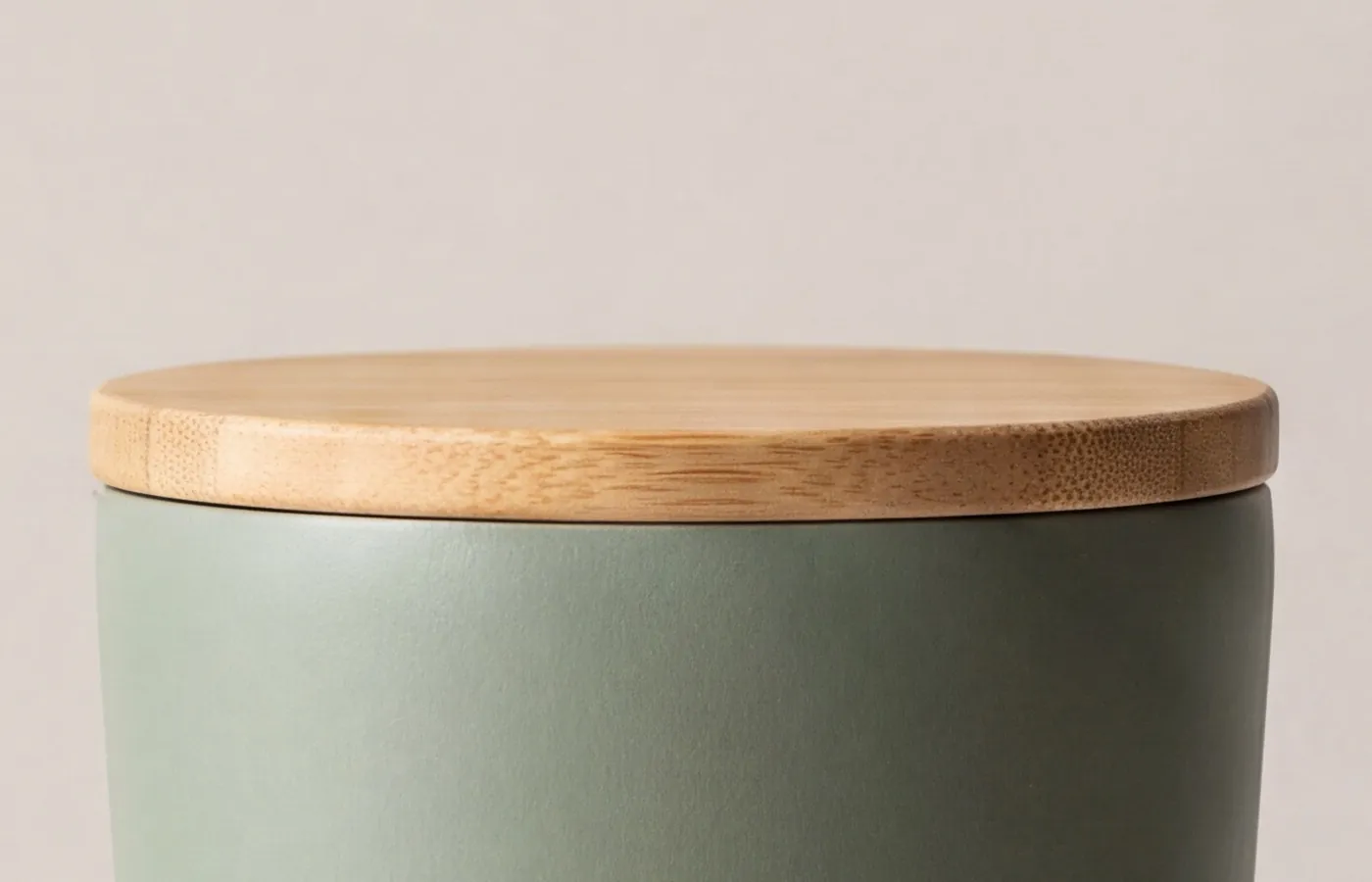
4K upscale
The 1K product shot upscaled to 4096×4096. Shown at 100%, cropped to the lid.
-
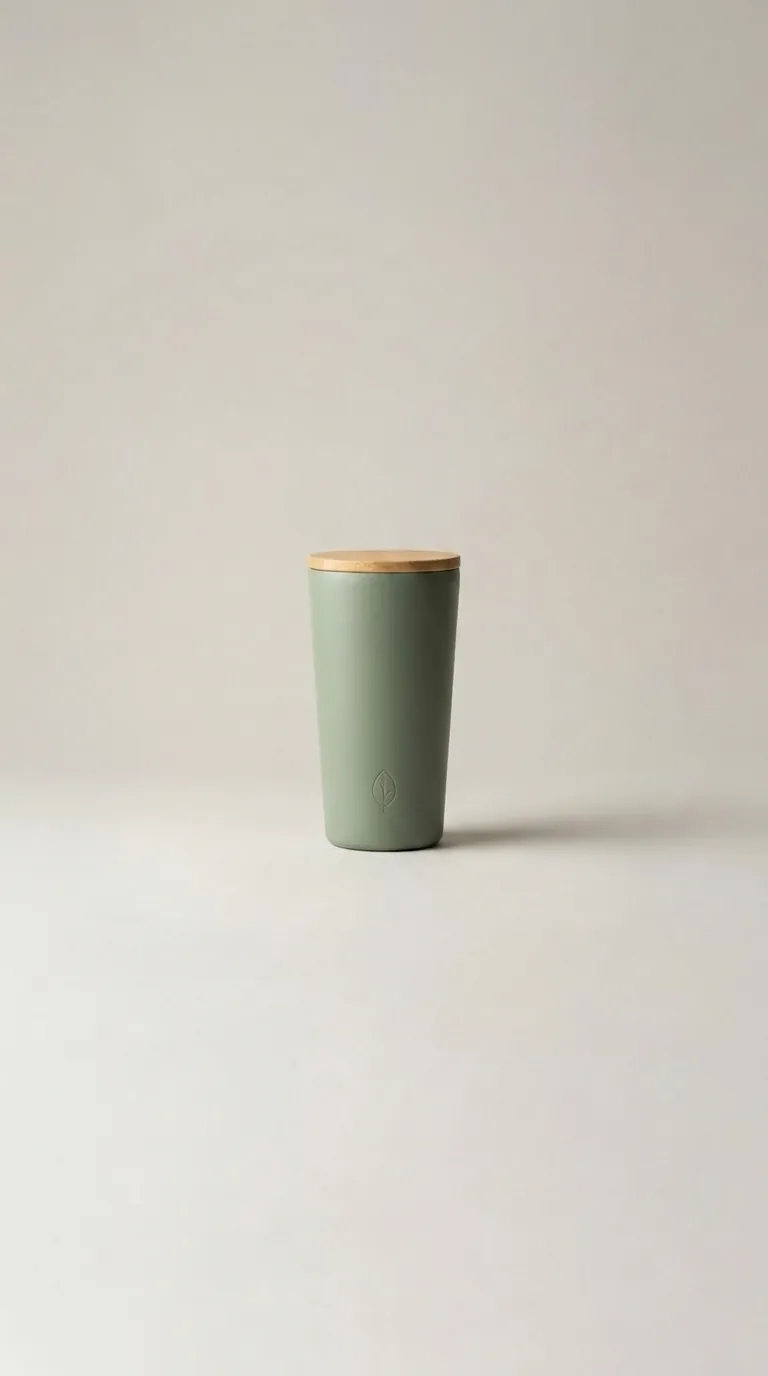
9:16 reframe
Backdrop and floor extended for Stories and Reels; the product itself was left untouched.
-
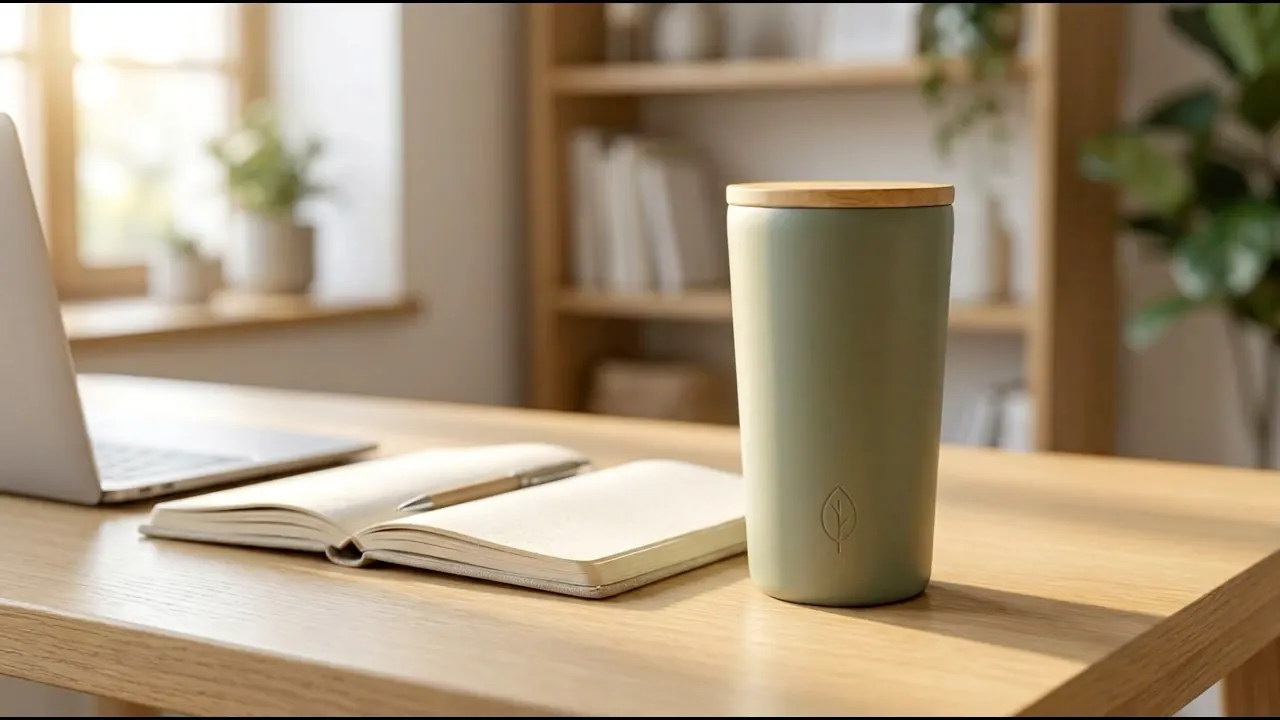
Veo 3.1 clip
The most expensive clip of the run: 400 credits a second with audio.
-
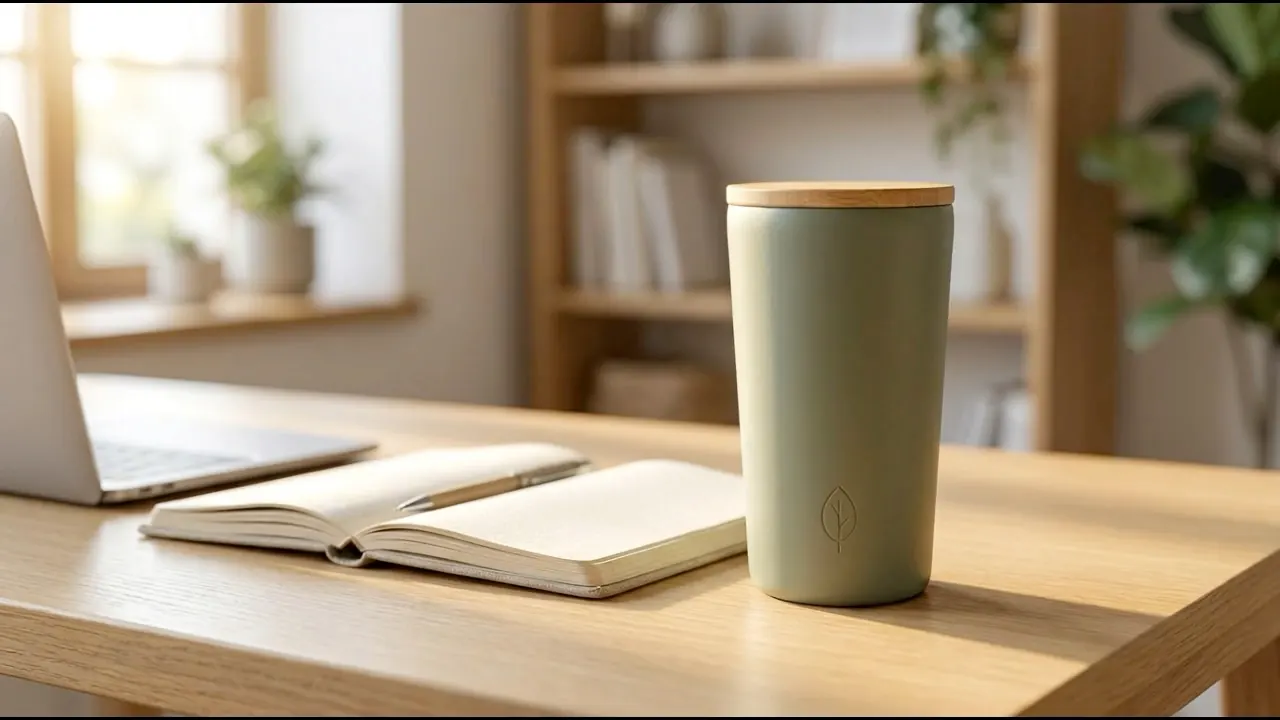
Veo 3.1 Fast clip
Same first frame and prompt as the other three clips.
-
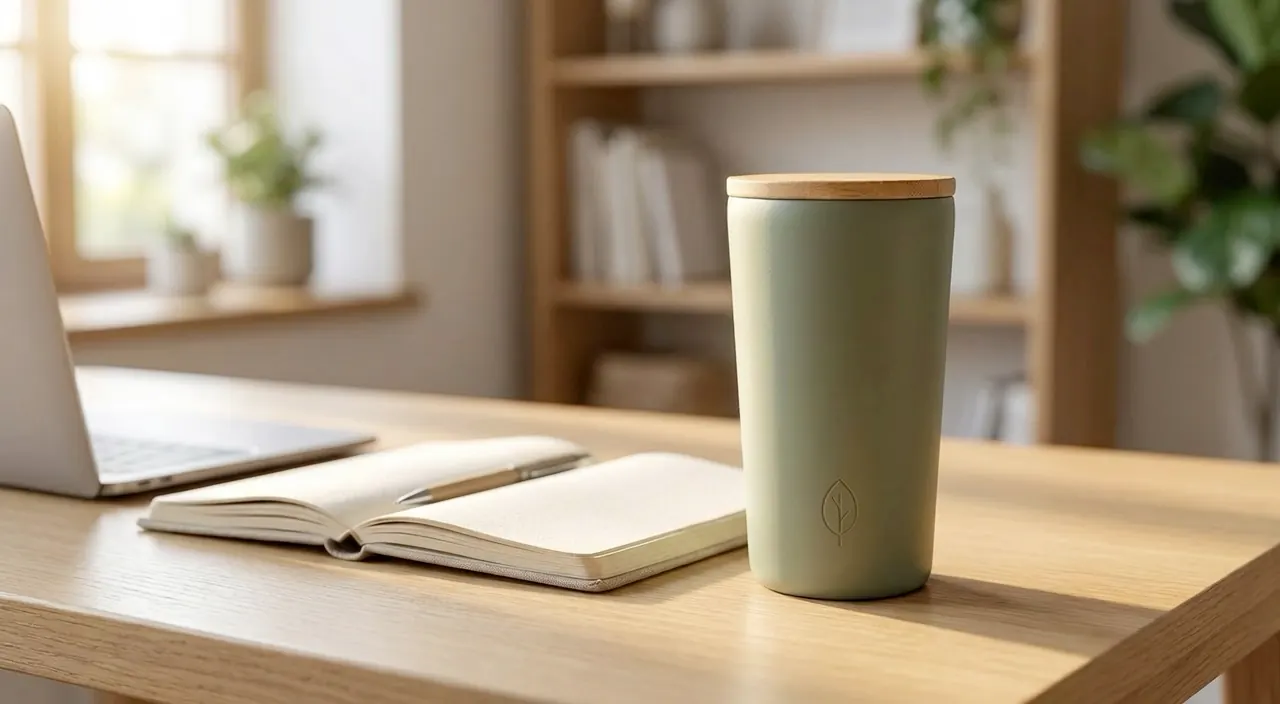
Grok Imagine clip
Added the most light rays and dust of the four; output is 1280×704.
-
MiniMax-H3 clip
The first attempt returned "model is busy" and was not charged; the retry took 174 s.
Every card comes from one production run on 2026-09-30. The credits shown are what the run was charged. A fictional, unbranded tumbler generated from a text prompt for this run. It is not a customer product.
Try it on your productThe canvas
Each model is a node. The output of one feeds the next.
Wire the steps once on a visual canvas. Swap the input photo and the chain runs again with the same settings.
-
Input
Your prompt or product photo
-
Nano Banana Pro
1K · 1:1 · 2 candidates
200 credits charged
-
Upscale
Upscale · 4K · 100% crop of 4096×4096
200 credits charged
-
Outpaint 9:16
Outpaint · 9:16 · expand 50
100 credits charged
-
Veo 3.1 Fast
4 s · 720p · audio · first frame: scene
600 credits charged
-
Output
- Product shot
- 4K upscale
- 9:16 reframe
- Video
Images and one clip
-
Price before you run
Pick the model, settings and output tier on each node. Every model's credit price is listed on the pricing page.
-
Image, video and text in one place
Video, image and text models share the same canvas and the same credit balance.
Learn to build a workflow -
Same workflow over the API
Discover a workflow, estimate it and start runs from your own code.
Read the API quickstart
What it costs
What one run actually cost.
This run cost 4,000 credits (about US$4.00). The image cards above account for 600 of them and the video clips for 3,400. The trial amount is shown at sign-up.
See current per-model pricesModels
Four video models, one first frame.
Send the same image to any of them and compare. Video is priced in credits per second, exactly as on the pricing page.
-
Google DeepMind
Veo 3.1
from 200 credits/s
up to 8 s · 720p / 1080p / 4K
Compare -
Google DeepMind
Veo 3.1 Fast
from 100 credits/s
up to 8 s · 720p / 1080p / 4K
Compare -
xAI
Grok Imagine
from 150 credits/s
up to 15 s · 480p / 720p / 1080p
Compare -
MiniMax
MiniMax-H3
from 120 credits/s
up to 15 s · 768P / 2K
Compare
Image models
- Nano Bananafrom 20 credits/image
- Nano Banana Profrom 100 credits/image
- Nano Banana 2from 100 credits/image
- GPT Image 2.5from 100 credits/image
- GPT Image 2.5 Flarefrom 100 credits/image
- GPT Image 2.5 Sunburstfrom 100 credits/image
- GPT Image 2from 100 credits/image
- Grok Imagine Image 2.0from 100 credits/image
How it works
Four steps from photo to clip.
- 01
Add an Image input node
Upload a product photo you have the rights to use. Every later step uses it as the reference.
Follow the image workflow - 02
Connect Nano Banana Pro or GPT Image
Describe the studio or lifestyle scene, choose 1–4 candidates and check the per-image price first.
- 03
Add Upscale or Outpaint
Upscale the approved shot to a 2K or 4K tier, or outpaint it to 9:16 for vertical placements.
- 04
Connect Veo 3.1 Fast
Use the image as the first frame, pick the duration and audio, then review the clip before it goes into an ad.
Turn a photo into a video
Upscale and Outpaint are offered on supported sale-channel Nano Banana Pro and GPT Image models; the model selector shows which.
From the community
Workflows shared by real creators
Browse workflows published by RelayMe users — see how the nodes are wired, then copy one into your own workspace.
Compare
Compare before you spend credits.
- Veo 3.1 vs Veo 3.1 FastPrice per second, clip length, 4K and when each one is worth it.
- Grok Imagine vs MiniMax-H3Price, clip length, 2K output and the reference inputs each one accepts.
- Nano Banana Pro vs GPT Image 2Credits per image at each output tier, 4K and reference images.
- Sora alternativesSora has been shut down. The video models you can pick instead.
- AI video generation costPer-second prices for all four video models and a dated 620-credit test.
FAQ
Questions before your first run
What is RelayMe and who is it for?
RelayMe is a no-code AI workflow platform for creating images and videos. Connect text, image and video nodes in a visual canvas, or start with a reusable template. It supports tasks such as e-commerce product imagery, advertising variations and social content; you can compare models and pass results to the next step without writing code. RelayMe is a hosted canvas that calls third-party image and video models; it does not train its own models. There is no custom code node, and local checkpoints or LoRAs cannot be loaded.
Which AI video and image models does RelayMe support?
RelayMe currently offers Veo 3.1, Veo 3.1 Fast, Grok Imagine and MiniMax-H3 for video. Image options include Nano Banana, Nano Banana Pro, GPT Image, GPT Image 2.5, GPT Image 2.5 Flare, GPT Image 2.5 Sunburst and Grok Imagine Image 2.0. GPT and Gemini can also supply text and multimodal steps. Check the pricing page and model selector for current availability, prices and supported settings.
Can I use Sora or Kling on RelayMe?
No. Neither is in RelayMe’s model selector, and OpenAI has discontinued the Sora app (April 26, 2026) and API (September 24, 2026), according to OpenAI’s help center (checked September 28, 2026). Selectable video models include Veo 3.1, Veo 3.1 Fast, Grok Imagine and MiniMax-H3. RelayMe’s Sora and Kling comparison guides map each use to one of these; a comparison article does not mean the model itself is available.
Can I try RelayMe for free, and do trial credits expire?
You can register for RelayMe without a credit card. When an eligible new-user promotion is active, registration shows the introductory credit amount and validity period. Trial credits with an expiry date are cleared when that period ends. Free registration does not include unlimited generation; after the available credits are used, purchase a top-up or a subscription to continue paid generation.
What should I try first with trial credits?
Start with the image steps. Images are priced per image — currently from 20 credits on the lowest-priced option — while video is priced per second, from 100 credits a second, so one short clip usually costs more than several images. Make and check the product shot first, then decide whether to animate it. The trial amount and validity period are shown at registration when an eligible offer is active; check the estimate before each run.
How much does AI image or video generation cost on RelayMe?
RelayMe offers pay-as-you-go top-ups and optional subscriptions. Image cost depends on the model, channel, output tier and number of images; video cost also depends on duration and supported audio settings. A workflow can contain several separately billed generation tasks. Check the current model prices and the estimate shown before running; one workflow run is not a fixed-price image or video.
Do RelayMe subscription credits and top-up credits expire?
Monthly subscription credits are valid for the current billing cycle and do not roll over. Separately purchased top-up credits do not expire. Promotional trial credits follow the validity period displayed for that offer.
Will RelayMe keep my product exactly as it is?
Not guaranteed. Even with a reference photo, image and video models can change label text, proportions and colors. Generate 2–4 candidates in one image task, compare each with your original photo — label text, silhouette and color — and keep only the ones that match. Check again after upscaling, outpainting or turning the image into video, and fix the prompt or reference before you run a batch.
Can RelayMe generate multiple images from one prompt?
Yes. Image generation in the Create page and workflow image nodes supports 1–4 candidates per task. Select a candidate as the default output, or connect numbered output ports to different downstream image or video nodes. The estimate reflects the selected image count. Upscale and Outpaint are separate modes that produce one image per task.
How do I upscale or outpaint an image in RelayMe?
Choose Upscale or Outpaint in the Add node tools, then connect a reference image. Supported sale-channel Nano Banana Pro and GPT Image models offer these modes; the model selector indicates compatibility. Upscale regenerates the reference at a 2K or 4K output tier. Outpaint extends the composition using the selected ratio, extent and direction. Both modes generate one image and charge by output tier; review subject details after generation.
How do I turn a product image into an AI video with RelayMe?
Upload the product image, connect it to a video node that supports reference images, and describe the movement or scene you want. Choose the model, duration and output settings, review the estimated credits, then run the task. Check product shape, labels and motion in the result before using it in an advertisement. Reference-image requirements differ by model.
Can I use RelayMe-generated images and videos commercially?
Commercial use depends on RelayMe’s terms, the selected model provider’s terms and the rights in your inputs and outputs. Paying for generation does not automatically grant copyright ownership or permission to use another person’s brand, likeness or protected work. Before publishing an advertisement or product listing, review the applicable terms and check that you have the necessary permissions for the materials used.
Bring one product photo.
Start with the product shot, check it, then decide how far to take it.
- Free to sign up
- No credit card
- Top-up credits never expire
- Per-model prices on /pricing